ExcelAsCode: When Excel Becomes Your Infrastructure as Code Engine
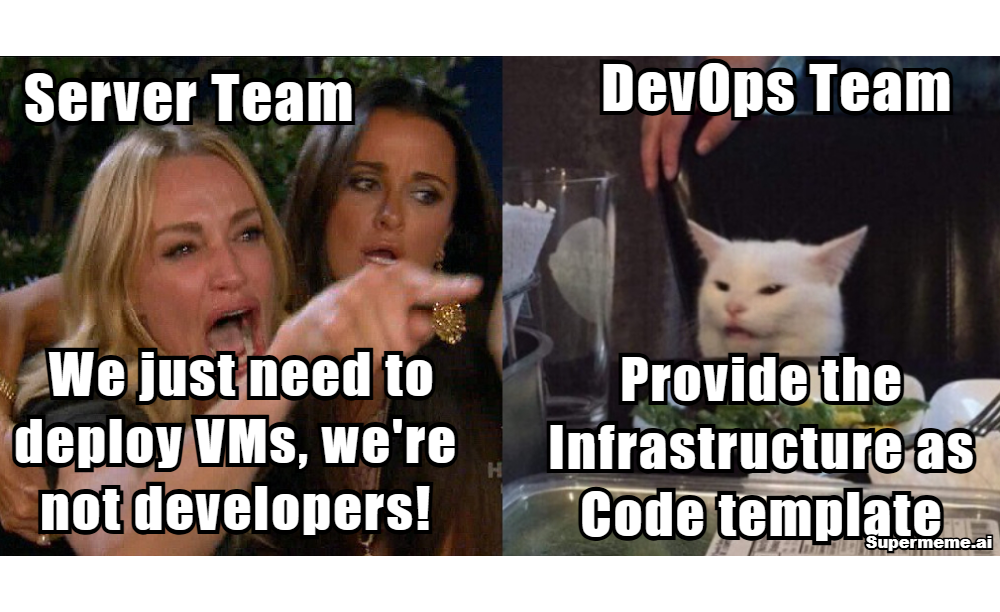
As organizations adopt Infrastructure as Code best practices, infrastructure teams face a dilemma: they’re not developers, but they need to deploy infrastructure with Terraform, ARM, or Bicep. What if the solution was already sitting on everyone’s desktop?

The Infrastructure as Code Dilemma
Picture this: It’s Friday afternoon. Your infrastructure team needs to deploy 50 new VMs across multiple Azure regions by Monday. The business requirements are crystal clear, meticulously documented in—you guessed it—an Excel spreadsheet.
But there’s a problem.
Your DevOps team insists on “proper Infrastructure as Code practices.” They want Terraform configurations. ARM templates. Bicep files. Version control. GitOps workflows. All the modern best practices that make perfect sense… if you’re a developer.
But your infrastructure team isn’t a room full of developers. They’re seasoned IT professionals who’ve been managing infrastructure for decades. They know networking, storage, compute, security. They can design complex multi-tier architectures in their sleep.
They just don’t speak HashiCorp Configuration Language.
The Shadow IT Reality
Here’s what actually happens in most organizations:
- Infrastructure team plans deployments (Excel, CSV lists, Word docs, or just tribal knowledge)
- DevOps team spends days translating requirements into Terraform
- Changes come in, documentation gets updated (maybe)
- DevOps team re-writes Terraform again
- Rinse and repeat, creating bottlenecks and frustration on both sides
And when the bottleneck gets too painful? Infrastructure teams resort to whatever works:
- ClickOps: Manually creating VMs one by one in Azure Portal or cloud console, clicking through the same configuration screens 50, 100, sometimes 200 times
- CSV exports: Download a list, try to cobble together a PowerShell or Python script that breaks every time the API changes
- Excel tracking: Maintain spreadsheets with dropdowns and formulas, then manually translate to infrastructure
- Copy-paste marathons: Take last month’s deployment, find-and-replace names, hope nothing breaks
I’ve watched infrastructure engineers spend entire weeks clicking through Azure Portal forms. Copy VM name from their list. Paste. Select region from dropdown. Select VM size. Configure networking. Click create. Wait. Repeat. It’s soul-crushing work for talented professionals.
Meanwhile, if they are using Excel for planning, it’s sitting there perfectly organized—with dropdowns for regions and VM sizes, formulas calculating costs, conditional formatting highlighting issues. Beautiful. Functional. Just… not “Infrastructure as Code.”
Or is it?
The Real-World Problem That Started It All
I’ve seen this pattern repeat across multiple organizations throughout my career—from telecommunications to utilities to manufacturing, and now at a Fortune 100 tech company. The pattern was always the same: brilliant infrastructure teams hitting the same wall.
The Lab Infrastructure Nightmare
At one company, we had a team building massive lab environments for testing and development. They needed to spin up 50-100 VMs at a time, all with specific configurations, networking requirements, and dependencies. Sometimes they’d track it in Excel. Sometimes just a CSV export from their CMDB. Sometimes just a list in an email thread.
But deploying them? That meant:
- Manually clicking through Azure Portal (soul-crushing)
- Writing Terraform from scratch (3-5 days per deployment)
- Waiting on the DevOps team queue (another week)
- Or the dreaded “export to CSV and write a fragile PowerShell script” approach that broke every time Azure changed their API
By the time infrastructure was ready, requirements had changed. We’d start over.
The Application Migration Crunch
Then at another organization, we were migrating dozens of applications to Azure, each requiring multiple VMs, load balancers, databases, and networking. The application teams knew exactly what they needed. Some documented it in Excel. Others in Word docs. A few brave souls tried maintaining Confluence pages. Most just sent emails with lists.
But they couldn’t deploy it themselves. They didn’t know Terraform. They didn’t know ARM templates. They knew their applications, they knew infrastructure requirements, and they knew how to make a list.
We became the bottleneck. Every deployment request went into a queue. Every change meant rewriting Terraform. Velocity was measured in weeks, not hours.
The Performance Benchmarking Challenge
The situation that really broke me was working with a performance engineering team that needed to run IOPS and performance testing across hundreds of VM workloads. Their goal was statistical normalization of application performance benchmarks across different Azure VM SKUs.
They needed to deploy:
- 100+ VMs across multiple SKU families (D-series, E-series, F-series)
- Identical workload configurations on each
- Systematic testing across regions
- Rapid tear-down and re-deployment for different test scenarios
The requirements changed constantly based on test results. “We need to add Standard_D8s_v5 to the matrix.” “Can we test in three more regions?” “We need to double the disk IOPS and retest.”
They had meticulously maintained their test matrix in Excel—VM configurations, expected IOPS targets, cost projections, everything. But every change meant waiting on us to modify Terraform. The performance team was spending more time waiting for infrastructure than actually running performance tests. Their statistical analysis was blocked by infrastructure provisioning time.
They had everything they needed in that spreadsheet. Everything except the ability to actually deploy it.
What If Excel WAS the Infrastructure as Code?
That’s when it hit me: We’re fighting the wrong battle.
We were trying to force infrastructure teams to learn our tools, when we should have been meeting them where they already were. Teams were planning however they could—Excel, CSV, Word docs, email threads. But Excel was clearly the winner when teams had a choice. It’s what they gravitationally pulled toward.
What if Excel could just… deploy things?
Not “export to CSV and write a script to parse it.” Not “use this as a reference while you write Terraform by hand.” Not “manually click through Azure Portal using this as your guide.”
What if you could fill out an Excel spreadsheet and click “Deploy”?
Introducing ExcelAsCode
ExcelAsCode is an open-source Excel template that generates Infrastructure as Code directly from spreadsheets. No Python scripts to maintain. No complex workflows. Just Excel, doing what Excel does best, but now with superpowers.
I built this because I was tired of being the bottleneck. I wanted infrastructure teams to have the same velocity as developers—to go from idea to deployed infrastructure in minutes, not weeks.
How It Works
1. Open the Template Download the Excel file, enable macros, and you’re presented with a familiar spreadsheet interface. If you’ve ever filled out a budget spreadsheet, you already know how to use this.
2. Authenticate with Azure Click the “Authenticate” button. ExcelAsCode uses OAuth 2.0 device code flow to securely connect to your Azure tenant. No stored credentials, no service principals to manage (unless you want to).
3. Dynamic Dropdowns Appear This is where the magic starts. The template makes live API calls to Azure and populates dropdowns with:
- Your actual Azure regions
- Available VM SKUs in each region
- Current OS images (Windows Server, Ubuntu, RHEL, etc.)
- Your resource groups
- Virtual networks and subnets
- Network security groups
No more typos. No more guessing at resource names. No more checking the Azure Portal to verify what’s available.
4. Fill in Your Requirements Use Excel like you always have:
- One row per VM
- Columns for VM name, size, region, OS, disk size
- Add your own columns for cost center, owner, purpose
- Use Excel formulas to calculate costs
- Apply conditional formatting for validation
Remember that performance benchmarking team? They could now plan their entire test matrix in Excel—100 VMs across 10 SKU families, with formulas calculating total IOPS and costs. One spreadsheet, complete picture.
5. Generate Infrastructure as Code Click “Generate Terraform” or “Generate ARM Template.” ExcelAsCode:
- Validates your inputs
- Generates properly formatted IaC files
- Creates modular, production-ready code
- Includes variables, outputs, and documentation
- Saves files ready for git commit
6. Deploy or Review You can either:
- Direct Deploy: Click “Deploy to Azure” and ExcelAsCode provisions everything
- Export for Review: Save the Terraform/ARM files, commit to git, run through your CI/CD pipeline
The performance team could now iterate in hours instead of weeks. Change a SKU in Excel? Regenerate. Deploy. Test. Repeat. Their benchmarking project went from a 6-month timeline to 6 weeks—not because the tests ran faster, but because infrastructure stopped being the bottleneck.
Real-World Capabilities (Learned the Hard Way)
Bulk VM Provisioning
Need to deploy 100 VMs across 5 regions? Fill in the spreadsheet once, generate once, deploy once. What used to take days now takes minutes.
This solved the lab infrastructure problem. The team went from 3-5 day deployment cycles to same-day infrastructure. They could focus on actual testing instead of waiting for VMs or clicking through Azure Portal.
Application Migration at Scale
Your application teams know what they need. They document it somehow—Excel, Word, email, Confluence. Why not give them a template that can actually deploy?
With ExcelAsCode, migration projects transform:
- Application teams document requirements in the Excel template (familiar interface)
- Infrastructure team reviews the spreadsheet (faster than reviewing Terraform)
- Click deploy or export to git for CI/CD
- Deployed and ready in hours, not weeks
No more ClickOps marathons. No more brittle CSV parsing scripts.
Performance Testing & Benchmarking
This is where ExcelAsCode really shines. Performance engineering teams can now:
- Plan entire test matrices in Excel
- Use formulas to calculate expected IOPS and costs
- Deploy 100+ VMs in one click
- Run tests, collect data
- Modify the matrix in Excel based on results
- Redeploy and retest—same day
Statistical normalization across VM SKUs becomes feasible. Not because the tests run faster, but because infrastructure provisioning is no longer the constraint.
Disaster Recovery Environments
Your production environment is documented somewhere—Excel, CMDB, wiki page, tribal knowledge? Consolidate it into ExcelAsCode, change the region dropdown to your DR region, regenerate. DR environment ready to go.
Cost Estimation Before Deployment
Excel’s formulas work perfectly with Azure pricing. Calculate costs before deploying a single resource. Compare configurations. Optimize before spending.
The performance benchmarking team used this heavily—they could forecast costs for different test scenarios before burning through budget.
Shadow IT Governance
That list the business team has been maintaining to track their “testing VMs”—whether it’s Excel, CSV, or just emails? Import it into ExcelAsCode, see what they actually need, provision it properly with tagging, monitoring, and compliance.